8.1. Dashboard
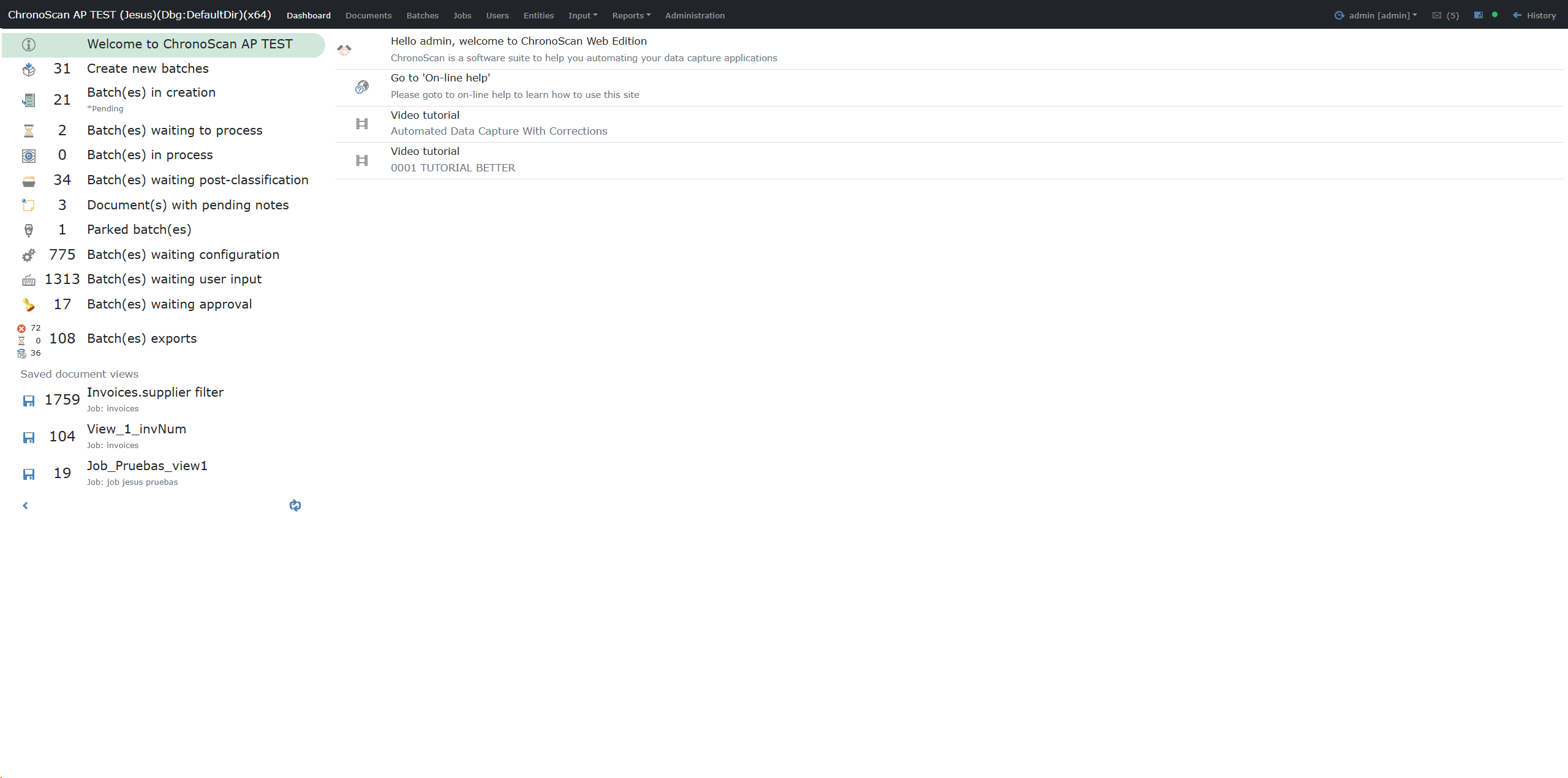
The Dashboard is the main screen for daily work and monitoring.
Left panel
It shows quick-access entries by status, including counters:
-
Create new batches
-
Batch(es) in creation
-
Batch(es) waiting to process
-
Batch(es) in process
-
Batch(es) waiting post-classification
-
Document(s) with pending notes
-
Parked batch(es)
-
Batch(es) waiting configuration
-
Batch(es) waiting user input
-
Batch(es) waiting approval
-
Batch(es) exports
It also includes a Saved document views section with the views configured for the dashboard.
Right panel
Content depends on the selected option:
-
Standard status entries: corresponding batch/document list.
-
Saved document view:
-
Top toolbar with: View name, Job, and document count.
-
Data view mode: document table + Field/Value detail + image preview.
-
Thumbnails view mode: responsive thumbnail grid with validation border (green/red).
-
Thumbnail click opens a context menu:
-
Open document
-
View data (vertical Field/Value dialog)
Behavior
-
When a document is opened from a saved view and the user returns from Indexer, Dashboard restores:
-
the selected saved view,
-
the active mode (data/thumbnails),
-
and the document context.
Notes
-
Visible entries and counters depend on user role/permissions.
-
Left menu entries may be dynamic depending on system configuration and current status.