This release introduces AI Trigger Crop: use image fragments instead of full images to extract specific data (e.g., stamps) via multimodal models (vision). It works for global triggers and document-type triggers, reduces cost, and is useful when OCR/i-tags/zones are insufficient.
When to Use
You need to read small, hard-to-ocr areas (e.g., manual stamps with date/signature).
The location is consistent (e.g., bottom-right corner).
How to Use
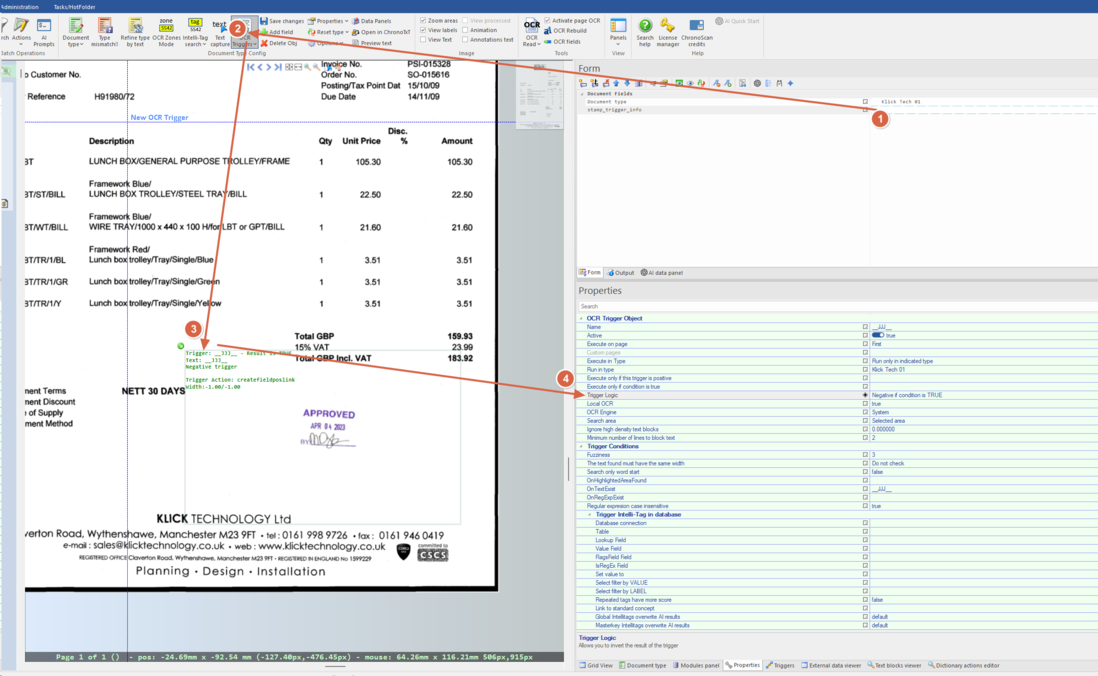
1. Open a document. If it has a type, you can create a type-level trigger; otherwise, a global trigger.
2. Create a trigger on the target field (e.g., stamp_trigger_info). Define a trigger area big enough to cover the expected stamp.
Optional: use a dummy pattern (e.g., __JJJ__) and set “negative if condition is TRUE” to force the trigger to always fire.
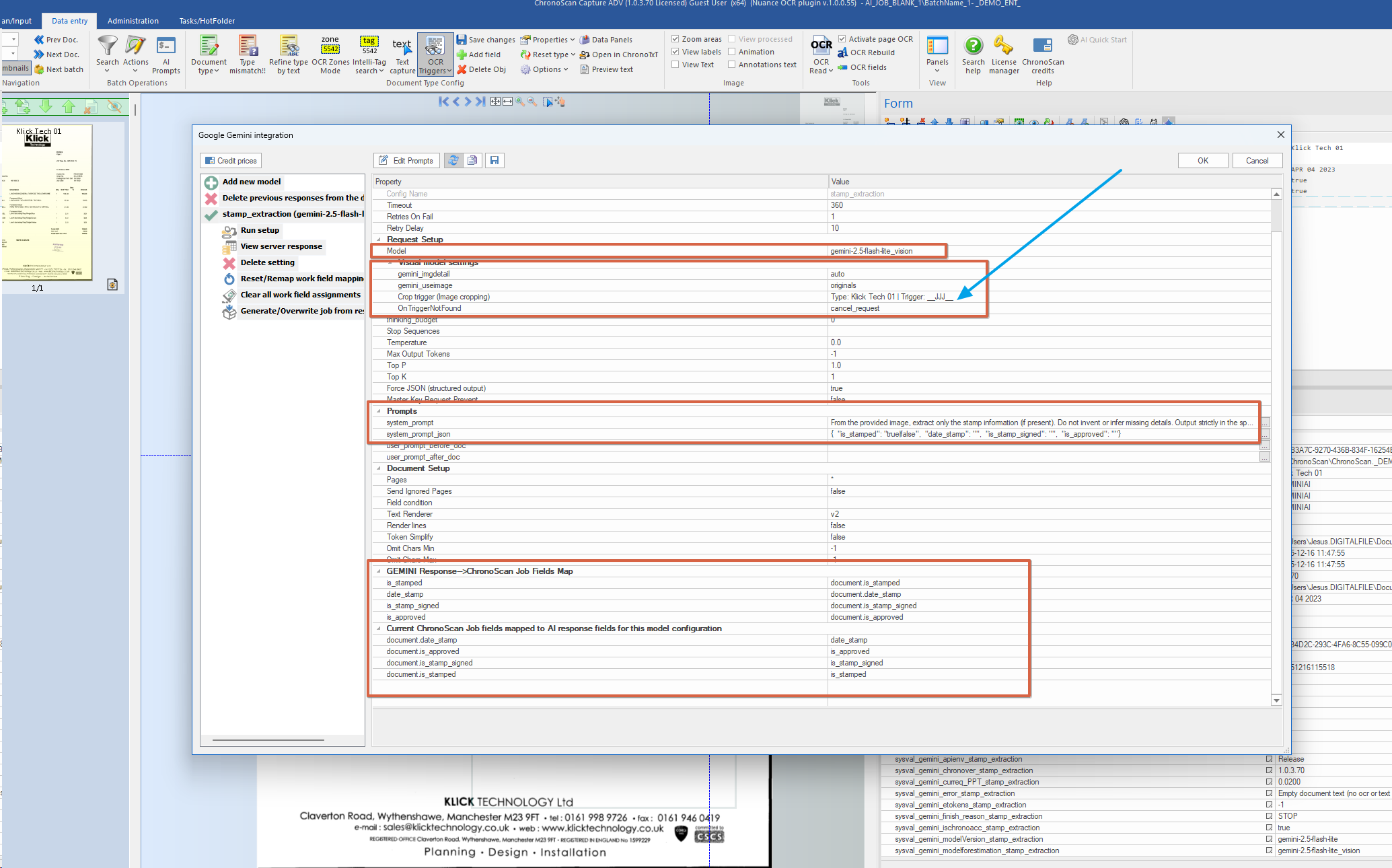
3. Configure the AI model:
Open the Gemini/ChatGPT model manager.
Create/select a _vision model.
Set the system_prompt, e.g.: “From the provided image, extract only the stamp information (if present). Do not invent or infer missing details. Output strictly in the specified format.”
Set the json_prompt, e.g.:
{
"is_stamped": "true|false",
"is_approved": "",
"date_stamp": "",
"is_stamp_signed": ""
}
4. Link the trigger to the model. If the trigger is not found, set OnTriggerNotFound = cancel_request (optional).
5. Save prompts and run.
6. Map the response fields to your job fields (e.g., is_stamped, is_approved, date_stamp, is_stamp_signed).
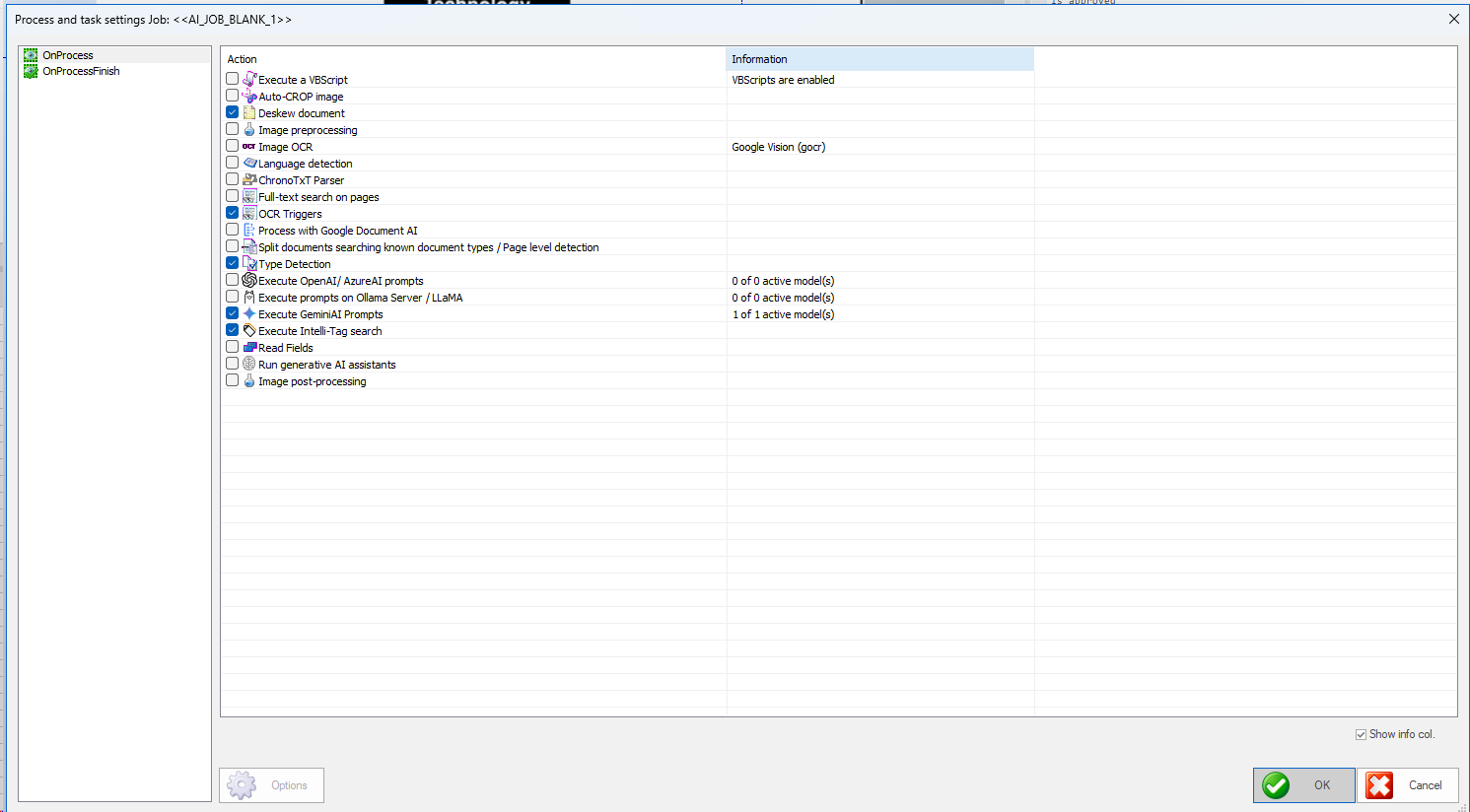
7. Ensure required processes are enabled: ✅ OCR triggers, ✅ Type detection, ✅ Execute GeminiAI (or chosen AI) prompts.
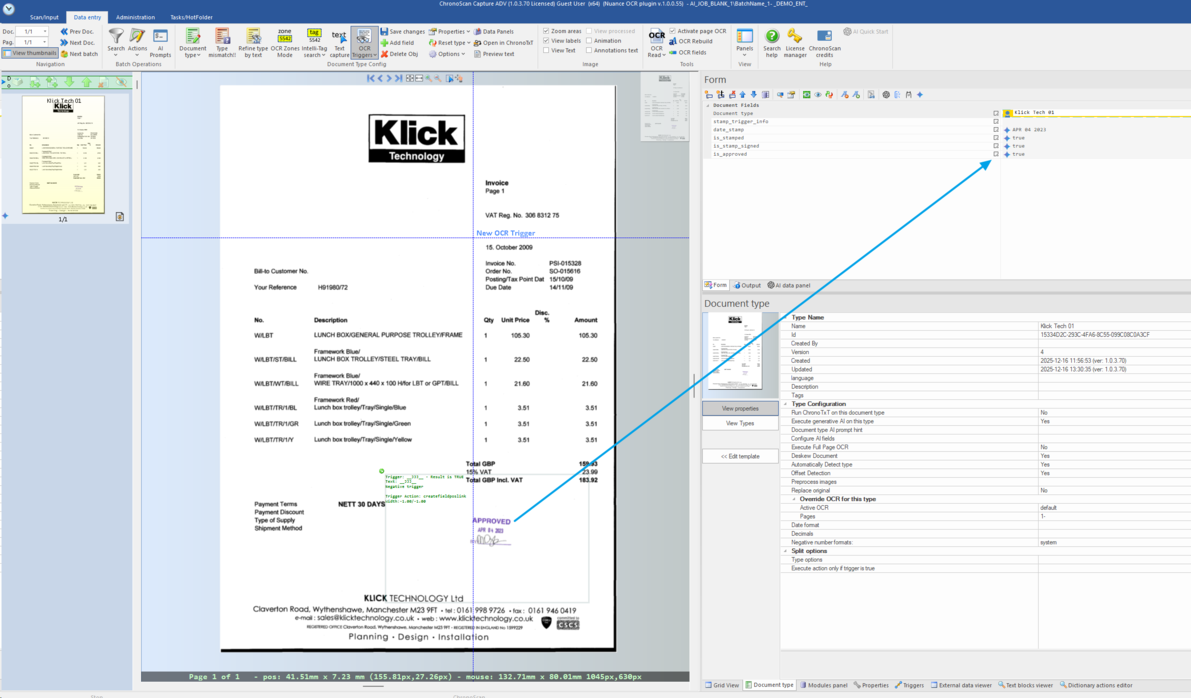
8. Process the document. The extracted values will populate the job form.
This setup sends only the cropped area to the AI, minimizing cost and focusing extraction on the relevant region.