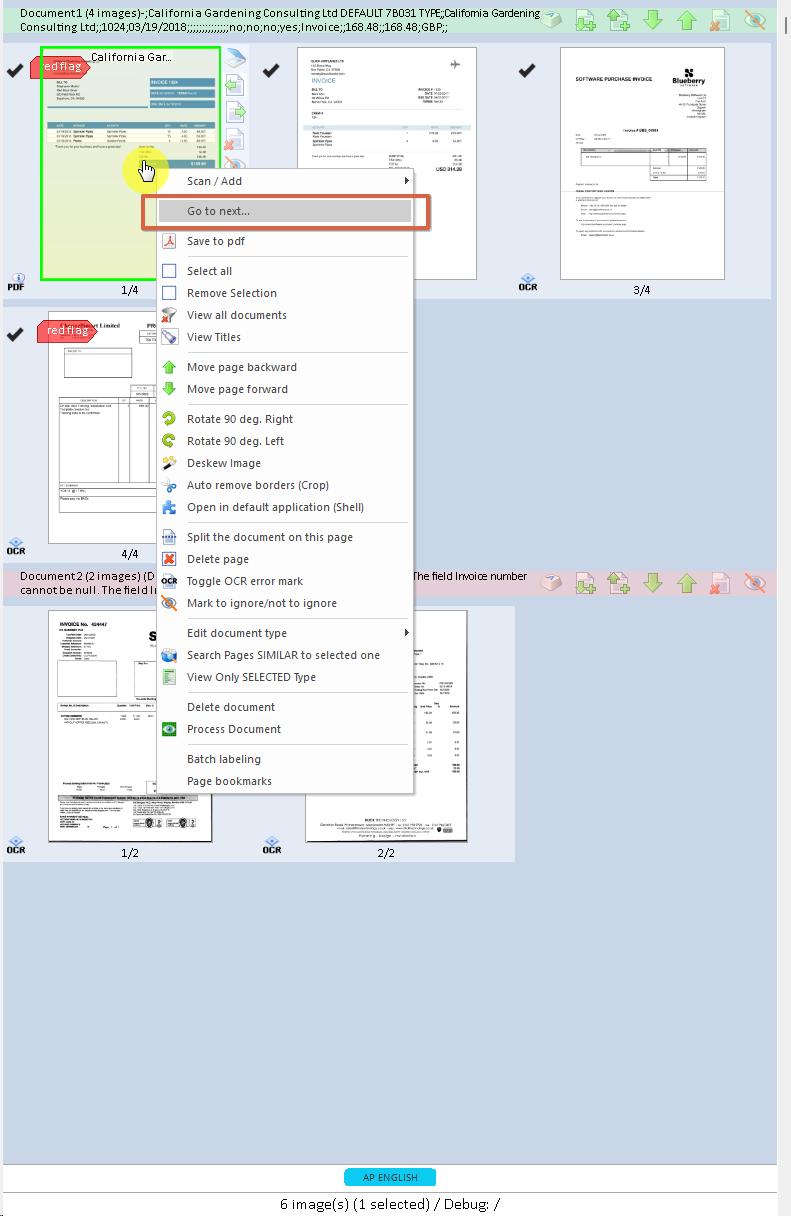
3.2.17. Go to Next/ Navigating among items
Since v1.0.3.70
To open the "Go to next..." functionality, right-click on the item you want to start from.
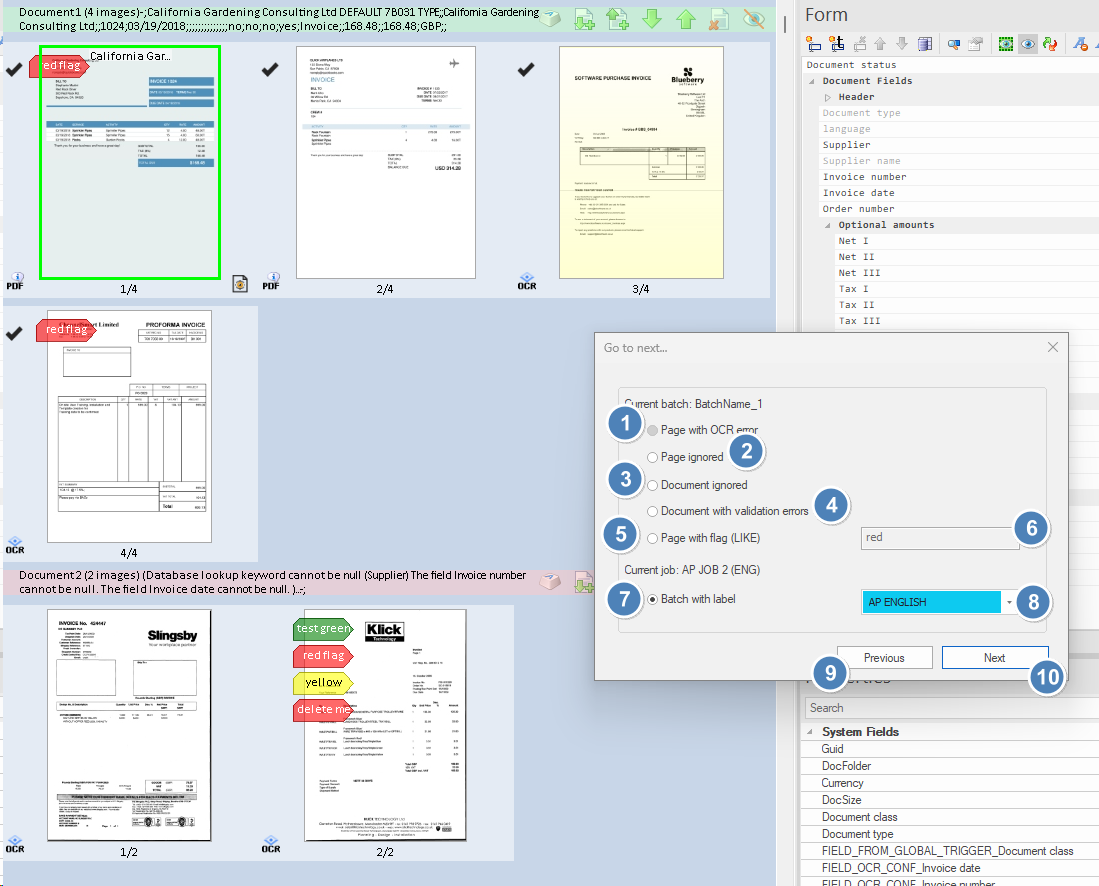
Go to next... dialog: element guide
1. Page with OCR error Navigates to the next page in the batch that has an OCR processing error.
2. Page ignored Jumps to the next page that is currently marked as ignored.
3. Document ignored Finds and jumps to the next document in the batch that is currently marked as ignored.
4. Document with validation errors Navigates to the next document that has validation errors in its fields or data.
5. Page with flag (LIKE) Navigates to the next page with a bookmark or flag whose label matches the specified text (supports partial matches).
6. Flag filter Text field to enter all or part of a bookmark/flag name. Used in combination with option 5 to find matching flagged pages.
7. Batch with label Filters navigation by selecting only items belonging to a specific label or batch name.
8. Batch/job selector Dropdown menu to choose the label of a batch within the working job for navigation when using filter 7.
9. Previous Jumps to the previous matching item, according to the selected filter.
10. Next Jumps to the next matching item, according to the selected filter.